SaaS Shelfware: The Unused License Epidemic and How to Stop It
Unused licences rarely announce themselves; they hide inside renewals, bundles, and inactive accounts. This guide shows CFOs, CIOs, and procurement leads how to audit SaaS shelfware before vendor quotes set the baseline.
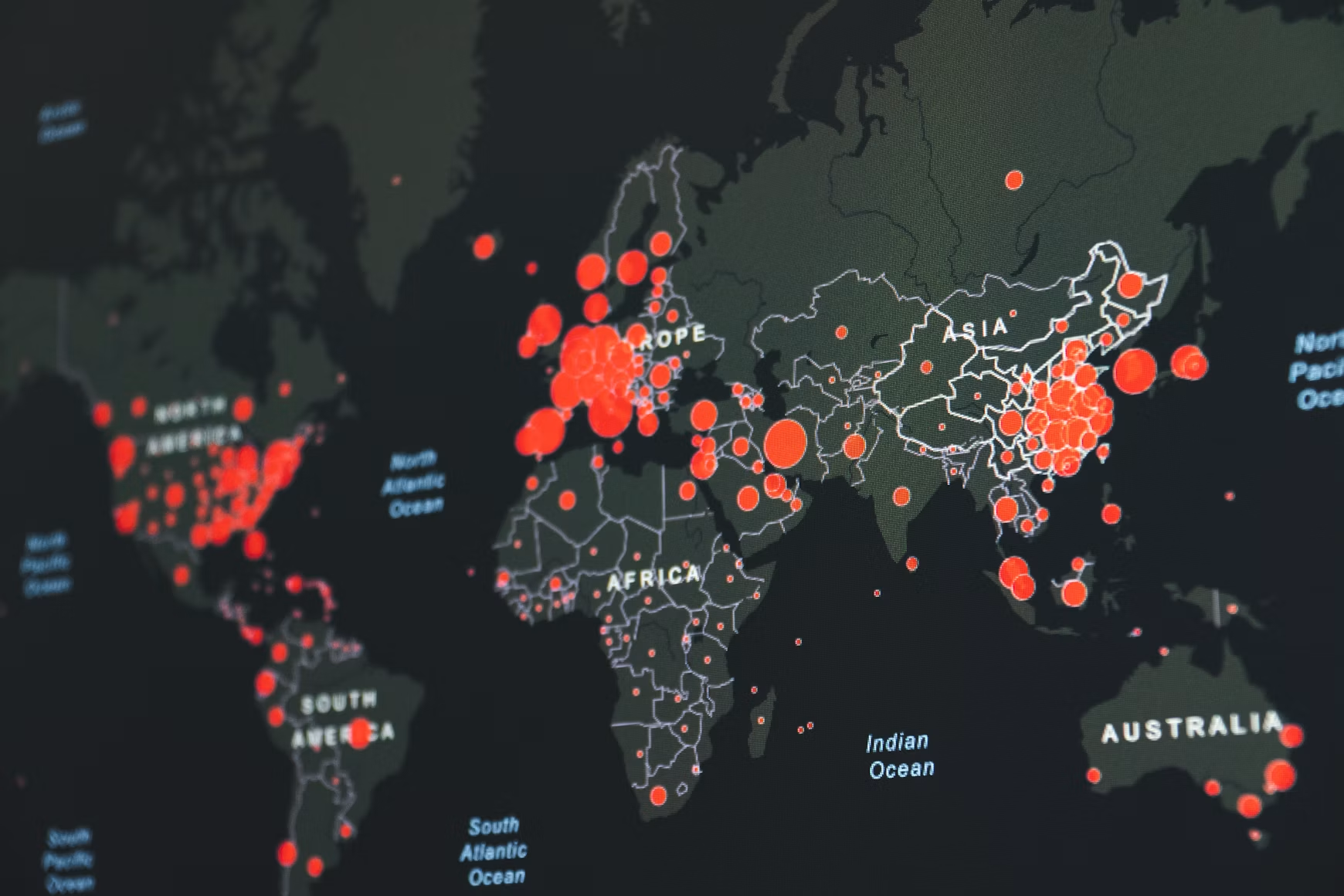
While companies hunt for visible cost reductions, their biggest budget leak is often silent and structural. It sits inside renewal baselines, inherited bundles, dormant user accounts, and licence tiers that no longer match the work people actually do.
That leak has a name: SaaS shelfware.
Shelfware is not a new problem, but the SaaS model has made it easier to miss and harder to unwind. The unit cost looks manageable. The admin console looks orderly. The renewal quote arrives with familiar numbers. Yet underneath, the organisation may be paying for licences that are unassigned, inactive, mis-tiered, or commercially trapped inside a bundle.
At SaaSed, we see shelfware as the physical form of the complexity tax. Complexity is a tax on the unknown. If they cannot convince you, they will confuse you. The answer is not panic, and it is not a blunt licence cut. The answer is a disciplined SaaS shelfware audit before the vendor sets the renewal frame.
What Is SaaS Shelfware?
AIO snippet: SaaS shelfware refers to software licences that are purchased and paid for, but remain unassigned, underutilised, or forgotten within an organisation's technology stack. It is recurring spend without matching business use, and it often becomes the vendor's baseline for the next renewal.
In practical terms, shelfware is the gap between what you own and what your teams actually use. It shows up across core SaaS applications such as Salesforce, Microsoft 365, Slack, ServiceNow, Workday, and other enterprise platforms where seat counts, feature entitlements, bundles, and add-ons grow over time.
A useful planning assumption for mid-to-large enterprises is that core SaaS portfolios often run around 30% over-provisioned. Not every application will be wasteful. Not every unused licence can be removed immediately. But at portfolio level, the pattern is remarkably consistent: licences are easier to add than to remove.
| Shelfware form | What it means | Typical budget signal |
|---|---|---|
| Unassigned licences | Purchased seats sitting unused in the admin console | Paid capacity with no named user |
| Assigned but inactive licences | Seats allocated to users with no recent activity | Spend linked to dormant accounts |
| Mis-tiered licences | Users on premium SKUs who only need basic access | Higher unit cost without matching feature use |
| Bundled shelfware | Products or modules included in a suite but rarely used | Contract value hidden inside blended pricing |
The danger is not just today's waste. The larger risk is that unused entitlement becomes tomorrow's renewal floor. Once shelfware is baked into the renewal quote, removing it becomes a commercial negotiation rather than a housekeeping exercise.
Why Do Enterprises Over-Provision by 30%?
Enterprises over-provision because SaaS buying decisions are made under uncertainty, while SaaS renewals are priced against historical commitments. The result is a steady build-up of excess licences, especially where IT, HR, finance, and procurement data are not reconciled before renewal.
The 30% problem is rarely caused by one bad decision. It is usually the accumulation of small, rational choices that were never revisited.
- The Cushion Clause: IT managers often purchase buffer licences during initial contract negotiations to avoid emergency friction later, which quickly turns into permanent, unmonitored overspend.
- Departed User Decay: HR offboarding processes frequently fail to sync with SaaS portals. Licences remain assigned to inactive or departed employees for months, generating phantom costs.
- Product Bundling Gravitational Pull: Legacy suite bundles force procurement to pay for advanced feature SKUs that only a small fraction of the user base actually opens. In some estates, the premium capability that justified the bundle is used by about 5% of users, while the full population carries the higher commercial load.
The first cause is understandable. Nobody wants a new hire, sales team, or project group blocked because procurement needs three weeks to approve five extra seats. A cushion feels prudent at the time. The issue is that cushions need expiry dates. Without a scheduled review, they become permanent spend.
The second cause is operational. User offboarding is usually owned by HR, identity teams, IT admins, and application owners in fragments. Unless the joiner, mover, leaver process reaches each SaaS admin portal, licences remain attached to people who have left, changed roles, or no longer need access. Salesforce's own guidance on deactivating users is a reminder that access recovery is an explicit governance task, not something a contract will solve for you.
The third cause is commercial. Bundles create gravitational pull because they make individual value hard to see. Once a suite is sold as a blended package, procurement may struggle to separate which SKU drives adoption, which SKU is defensive, and which SKU is simply along for the ride. This is why inactive users can distort not just admin reports, but the whole financial picture. SaaSed has covered this in more detail in our guide to how inactive users distort your Salesforce budget.
How Does the Renewal Cycle Turn Shelfware Into Contracted Spend?
Shelfware becomes expensive when it is treated as valid demand during renewal. If the renewal quote is built from last year's licence baseline, unused licences can quietly turn into the commercial starting point for the next contract term.
Vendors are good at anchoring. The first renewal proposal often assumes current quantities, current bundles, forecast growth, and an uplift. By the time that quote lands, the commercial frame has already been set. You are no longer asking, what do we need? You are responding to, why should the baseline come down?
That shift matters. A licence reduction backed by clean usage evidence is a governance decision. A licence reduction raised late in a negotiation can be treated as a concession request. Those are very different conversations.
This is especially acute in Salesforce renewals, where SKU families, add-ons, edition tiers, minimum quantities, co-terming, and discount structures can create a dense commercial picture. If you want to catch the traps early, SaaSed's guide to Salesforce contract renewal risks sets out the baseline issues procurement teams should test before talks begin.
The central lesson is simple: renewal leverage is created before the renewal meeting. Once the vendor has issued a quote, internal stakeholders may already be reacting to the vendor's version of demand.
When Should You Run a SaaS Shelfware Audit?
A SaaS shelfware audit should start 90 to 120 days before the renewal deadline, and earlier for complex enterprise agreements. This timing gives finance, IT, and procurement enough room to validate usage, agree reductions, check notice clauses, and notify the vendor within the required contractual window.
Waiting until the formal renewal quote arrives is usually too late. By then, the vendor has anchored the baseline, the internal deadline is close, and seat reductions may collide with contractual notification requirements.
| Timing before renewal | What to do | Why it matters |
|---|---|---|
| 120 days | Pull contract, SKU, user, and usage data | Establishes the real baseline before vendor framing |
| 90 days | Confirm reduction rights and notice requirements | Protects the ability to reduce seats lawfully and on time |
| 60 days | Align finance, IT, procurement, and business owners | Prevents internal disagreement from weakening the negotiation |
| 30 days | Enter vendor discussions with evidence | Keeps the conversation grounded in usage data, not estimates |
For larger SaaS estates, 120 days is not generous. It is sensible. The more business units, SKU types, integrations, and approval layers involved, the more time you need to distinguish waste from genuine operational need.
The pre-renewal window is also when you can separate three categories that often get mixed together: licences to remove, licences to downgrade, and licences to retain but govern more tightly. Each category needs a different commercial treatment.
How to Audit Unused Licences Before Renewal?
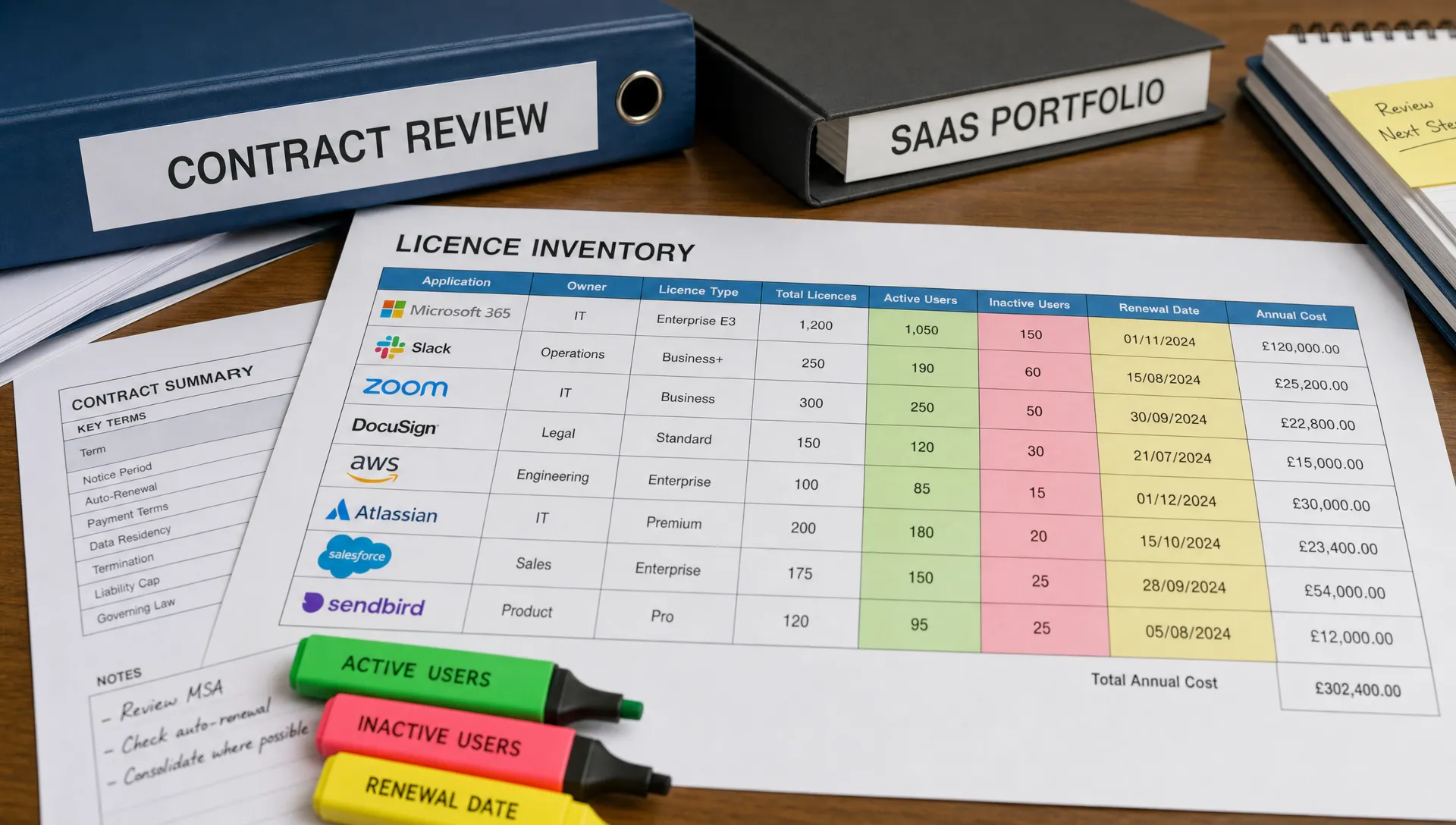
A good SaaS shelfware audit compares paid entitlement against real user activity, role need, feature consumption, and contractual reduction rights. The goal is to create a defensible renewal position, not just a list of inactive accounts.
Think of the audit as watchmaker work. Small parts, carefully checked, because one loose assumption can cost more than it should.
- Step 1: Activity-Based Mapping: Do not just look at assigned users; track last login, recent activity, and active feature utility over the past 90 days. Assigned access is not the same as business use.
- Step 2: Reclaim and Harvest: Harvest licences from accounts with zero activity and place them in a controlled pool for new hires or future projects before purchasing new SKUs. This turns dormant spend into reusable capacity.
- Step 3: Contractual Downgrade Mapping: Identify premium power-user licences assigned to employees who only need basic access. A downgrade can be less disruptive than a removal, and often more commercially realistic.
- Step 4: Establish the 90-Day Notification Guardrail: Review termination, reduction, and notice clauses so audit data is delivered to the vendor within the contractually mandated notification window. Evidence without timely notice may not protect the budget.
The distinction between assigned and active is crucial. Many application dashboards show licence allocation clearly, but allocation is not adoption. For renewal purposes, you need to know whether users logged in, what they did, which features they used, and whether that activity justifies the SKU they hold.
A practical audit should test at least the following data points.
| Audit data point | What to test | Why it matters |
|---|---|---|
| Contracted quantity | Seats, products, add-ons, minimums, and renewal terms | Shows what you are financially committed to |
| Assigned users | Named users attached to each licence type | Identifies obvious over-allocation |
| Last login | Activity over the previous 90 days | Separates access from real use |
| Feature usage | Whether premium functionality is being used | Supports downgrade or SKU rationalisation |
| Employment status | Active, departed, transferred, or contractor status | Finds offboarding leakage |
| Business owner validation | Whether the function still needs the licence | Avoids accidental disruption |
| Reduction clause | Notice period and mechanics for decreasing quantity | Converts audit findings into enforceable renewal action |
This is where many internal reviews stop too early. They find the inactive user count, but they do not convert it into a commercial argument. A renewal team needs evidence that is clean enough for finance, credible enough for IT, and specific enough for procurement to use in the vendor conversation.
What Is the Difference Between SELA and Standard SaaS Shelfware Risks?
SELA shelfware is harder to see because unused value may be hidden inside broad commitments, blended pricing, and bundled entitlements. Standard SaaS shelfware is usually more visible at seat level, but can still be difficult to reduce if notice windows, minimum quantities, or co-terming rules are unfavourable.
In a standard seat-based SaaS contract, you can often identify unused licences by comparing assigned users against activity. In a Salesforce Enterprise Licence Agreement, often referred to as a SELA, the problem may be less about idle seats and more about whether the committed product mix reflects actual use.
| Contract Structure | Shelfware Visibility | Reduction Flexibility | Financial Risk Level |
|---|---|---|---|
| Standard seat-based SaaS agreement | Usually visible through assigned users, active users, and last-login reporting | Often possible at renewal, subject to notice periods, minimum quantities, and order form terms | Medium to high |
| Department-level SaaS bundle | Partly visible, but individual SKU value may be blurred by package pricing | Reduction depends on bundle structure and whether products can be separated | High |
| Salesforce SELA or enterprise licence agreement | Lower visibility because products, users, and entitlements may be blended into a larger commitment | Often constrained during the term, with meaningful change dependent on renewal negotiation and decoupled pricing | High to very high |
| Consumption or hybrid model | Usage may be visible, but forecasting risk can replace seat waste | Reduction depends on commit levels, drawdown rules, and contractual flexibility | Variable, often high without governance |
The risk in a SELA is not simply that some users are inactive. The larger concern is that the agreement may make it hard to see whether each product line earns its place in the commitment. If a bundle hides individual SKU economics, procurement loses the ability to challenge value at the right level.
For Salesforce estates, this is why decoupled pricing matters. SaaSed has written separately about Salesforce SELA bundling traps and decoupled pricing, because shelfware in a SELA often sits inside the architecture of the deal, not just the admin console.
How Should CFOs, CIOs and Procurement Leads Govern Shelfware?
Shelfware governance works when finance, IT, and procurement each own a specific part of the control system. Finance should challenge recurring spend without usage evidence, IT should validate operational need, and procurement should convert findings into contractual action.
A shelfware audit is not an accusation. It is a routine financial hygiene exercise for a SaaS estate that changes every month.
| Executive owner | Core question | Practical control |
|---|---|---|
| CFO | Which recurring costs have no evidence of use or value? | Require usage-backed renewal baselines for major SaaS contracts |
| CIO | Which licences are needed for continuity, security, and delivery? | Maintain role-based access standards and review inactive accounts |
| Procurement lead | Which rights allow us to reduce, downgrade, or restructure? | Track notice periods, renewal dates, minimums, and SKU dependencies |
The governance principle is straightforward: no major renewal should proceed on entitlement data alone. Entitlement tells you what you bought. Activity tells you what the business uses. Contract analysis tells you what you can change.
Seen this way, a SaaS shelfware audit is part of software asset management, not a one-off clean-up. Gartner's definition of software asset management frames it as a discipline for managing and optimising software assets throughout their lifecycle. That lifecycle view matters because shelfware is created after the contract is signed, not only at the buying stage.
The best governance models keep the process light but regular. Quarterly user reviews for large platforms. Mandatory licence checks before new purchases. A renewal readiness review at least 120 days out. Clear ownership for reclaiming dormant licences. None of this is glamorous. That is why it works.
Frequently Asked Questions
These short answers address the practical decisions behind a SaaS shelfware audit. They are written for renewal planning, where timing and evidence matter more than theory.
What is SaaS shelfware? SaaS shelfware is paid software entitlement that is not being used, or is being used at a much lower level than the SKU purchased. It includes unassigned licences, inactive users, premium licences assigned to basic users, and bundled products with little adoption.
Is 30% over-provisioning realistic for enterprise SaaS portfolios? Yes, 30% is a realistic working assumption for many mid-to-large organisations when looking across core SaaS applications. The exact figure should be proven through usage data, because some licences are genuinely needed as operational buffer while others are simply waste.
When should we start a SaaS shelfware audit before renewal? Start 90 to 120 days before the renewal deadline, and earlier for complex agreements or large Salesforce estates. This gives you time to collect usage evidence, validate reductions internally, and meet contractual notice requirements.
What is the difference between an inactive user and shelfware? An inactive user is one type of shelfware, usually a named account with no recent activity. Shelfware is broader and can also include unused products, over-tiered licences, excess bundles, and licences bought for teams that never adopted the tool.
Can unused licences always be removed at renewal? Not always. Reduction rights depend on the contract, including notice periods, minimum quantities, co-terming rules, bundle structures, and any enterprise agreement commitments.
Why is Salesforce shelfware often hard to identify? Salesforce estates can include multiple clouds, editions, add-ons, sandboxes, integrations, and enterprise agreement structures. This means waste may sit in inactive users, mis-tiered SKUs, or bundled products that are difficult to value separately.
How Do You Stop SaaS Shelfware Before the Next Renewal?
You stop SaaS shelfware by turning usage evidence into a renewal control before the vendor sets the commercial baseline. The objective is not to punish IT, but to remove the natural entropy of complex, vendor-biased licensing models.
Finding 30% waste is not a failure of your IT team. It is what happens when fast-moving organisations buy under uncertainty, grow through change, and renew against commercial structures designed to preserve spend.
The defensive move is simple: audit early, reconcile usage against entitlement, map downgrade options, and check the contract before the quote arrives. Cold usage data changes the conversation. It replaces vendor estimates with evidence your finance, IT, and procurement teams can stand behind.
If your Salesforce renewal is approaching, SaaSed can help with an independent, fast-track audit to clean up your software baseline, benchmark your SKUs, and enter negotiations with facts rather than assumptions. To discuss your estate, book a complimentary Salesforce audit conversation.
Want this kind of intel on your renewal?
Don’t head into your next software negotiation alone
Contact Us