Software Add-Ons That Quietly Inflate Salesforce Spend
Small Salesforce add-ons rarely look dangerous on their own. This guide shows where they hide, how they compound, and which renewal checks help finance, IT and procurement cut waste without blocking useful work.

Most Salesforce overspend does not arrive as a dramatic new platform decision. It usually arrives quietly, one small approval at a time.
A team needs a connector to finish an integration. Sales operations wants an enrichment tool. Marketing needs better attribution. A project team adds a sandbox. Someone buys a set of permission-based features for a pilot, then the pilot becomes business as usual and nobody revisits the SKU.
None of these decisions is foolish in isolation. Many software add-ons are useful. The problem is that they often become permanent cost, even when the original reason for buying them has faded. By the time renewal comes around, they are treated as part of the baseline rather than as items that need to earn their place again.
For CFOs, CIOs and procurement leaders, the task is not to block sensible tools. It is to make sure every add-on has a clear owner, a current use case, measurable usage and a commercial route out if it no longer earns its cost.
Why Salesforce add-ons escape scrutiny
The core Salesforce subscription is visible. It is usually large enough to get board-level attention, and it sits clearly in the renewal calendar. Add-ons are different. They can be spread across order forms, attached to specific clouds, bundled into enterprise deals, or bought during projects by teams under delivery pressure.
This is where spend discipline slips. An add-on that looks small next to the main Salesforce contract can still create a large cost over a three-year term, especially if it is priced per user, tied to minimum quantities, or uplifted at renewal. The larger the Salesforce estate, the easier it is for these items to hide in plain sight.
There is also a language problem. The people approving the spend may not all mean the same thing by add-on. IT might think of an integration connector. Sales operations might mean a feature licence. Finance might see only a new SKU code. Procurement might see a line item that was not in the previous order form.
Salesforce itself has a broad product and edition landscape, as shown on Salesforce’s own Sales Cloud pricing page. That breadth is useful, but it also means buyers need a disciplined view of what is core, what is optional, and what is no longer justified.
If your team has already seen Salesforce spend drift through licence creep, bundles and weak baselines, the same pattern is covered more broadly in where Salesforce SaaS spend often goes off track. Add-ons are one of the more subtle parts of that problem because they often start with a perfectly reasonable business request.
The add-on categories most likely to inflate spend
Not all add-ons deserve suspicion. Some protect revenue, reduce manual work, improve security or support a new operating model. The issue is not whether add-ons exist. The issue is whether they are still being used enough, by the right people, under the right commercial terms.
| Add-on category | How it quietly grows | What to check before renewal |
|---|---|---|
| Permission set and feature licences | Extra capability is assigned to broad user groups, then left in place | Actual assigned users, active users, role fit and whether access is still required |
| Extra sandboxes and environments | Project environments become permanent after go-live | Environment owner, last use date, project dependency and decommission plan |
| Storage, API and event usage | Data volumes and integrations grow faster than expected | Current consumption, forecast demand, retention policy and technical alternatives |
| AppExchange and managed packages | Teams add specialist tools without tying them to the renewal model | Business owner, usage logs, overlap with native Salesforce capability and contract term |
| Marketing and revenue operations tools | Campaign tools, routing, enrichment and attribution add new recurring costs | Revenue impact, user adoption, integration dependency and whether the pilot became shelfware |
| AI, automation and usage-based features | Consumption grows without the same scrutiny as seat-based licences | Unit economics, guardrails, forecast model and approval process for expanded use |
| Support, success and training add-ons | Helpful services become recurring commitments | Service consumption, outcomes delivered and whether internal capability now replaces the need |
The AppExchange ecosystem is one of Salesforce’s strengths, and the official Salesforce AppExchange marketplace gives buyers access to a wide range of specialist applications. But each managed package or connector should still pass a basic commercial test: who owns it, who uses it, what would break if it were removed, and what does it cost over the full term?
Marketing and growth teams deserve particular care here. Their work often involves experimentation, new channels and fast-moving campaigns. If an internal team or a growth marketing partner is helping shape acquisition experiments, the procurement question is not whether growth tools matter. It is whether Salesforce-related add-ons attached to those experiments have review dates, exit paths and evidence of use once the experiment ends.
How add-ons weaken renewal leverage
Add-ons do more than increase the invoice. They can also reduce your room to manoeuvre in renewal talks.
Once an add-on becomes part of the renewal baseline, the commercial conversation starts from a higher number. If the buyer cannot prove low usage, duplication or changed requirements, the vendor has little reason to remove it. The absence of evidence becomes a cost in itself.
Add-ons can also be tied to minimum quantities, co-termed with the core agreement, or embedded in bundles. In those cases, a line item that looked flexible at purchase can become difficult to unwind later. This is why contract structure matters as much as price. For a closer look at the clauses that create this kind of lock-in, see 7 SaaS contract clauses that drive up Salesforce costs.
There is a second leverage problem. When nobody internally owns the add-on, nobody wants to approve its removal. Sales operations may think IT needs it. IT may think marketing needs it. Finance may not want to cut something that could affect revenue. The result is familiar: everyone is unsure, so the item stays.
A practical way to review software add-ons before renewal
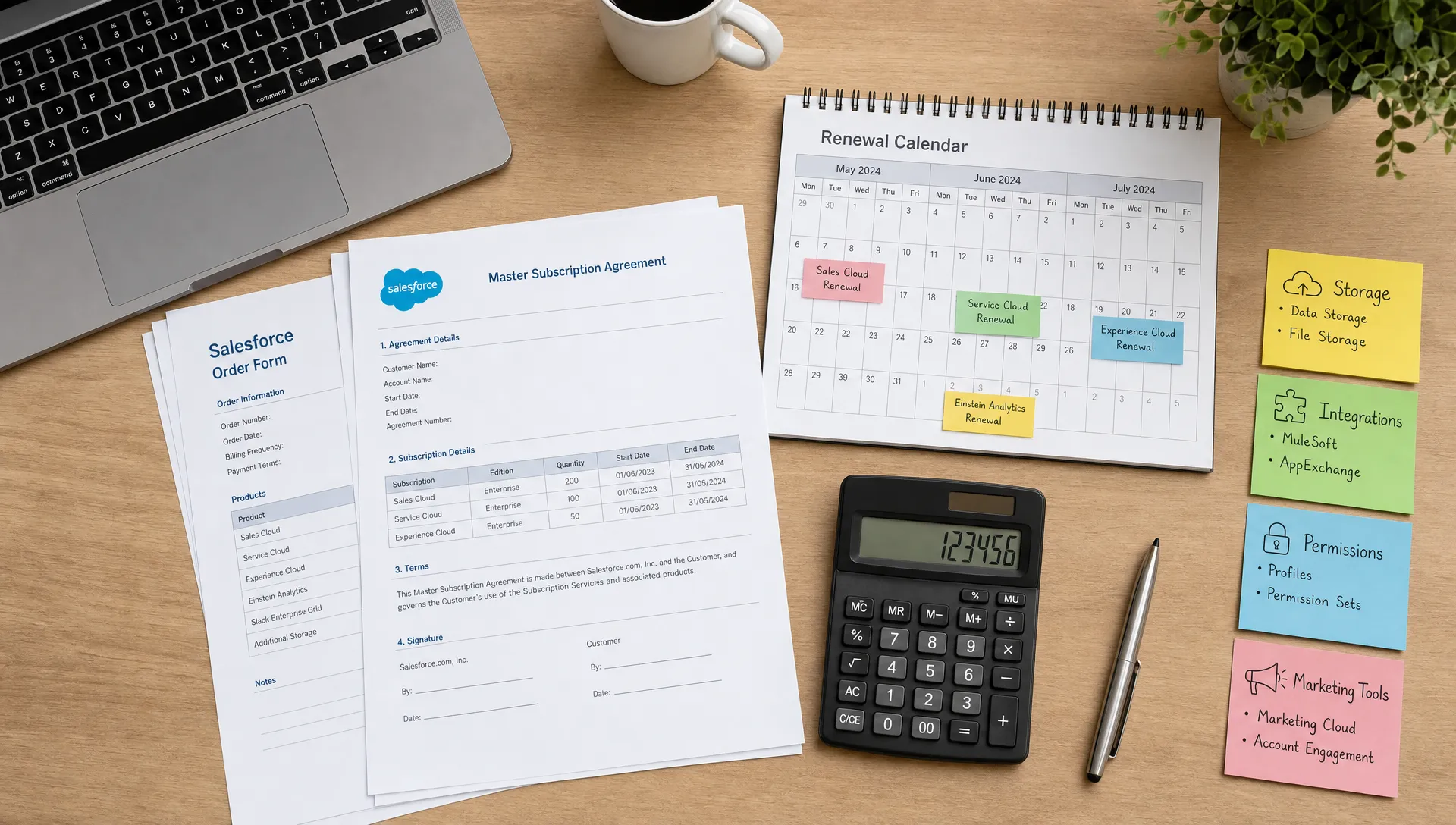
The best time to review Salesforce add-ons is not during the final pricing call. By then, the commercial frame is mostly set. A useful review starts earlier, while there is still time to gather evidence, align stakeholders and decide what you are prepared to challenge.
Start with an add-on register. It does not need to be elegant. It needs to be accurate enough to support decisions. For each add-on, capture:
- SKU or product name
- Contracted quantity and metric
- Cost and renewal date
- Business owner
- Technical owner
- Assigned users or consumption level
- Last meaningful usage check
- Dependency on process, integration or reporting
- Keep, reduce, replace or remove recommendation
Then compare entitlement to actual use. This is where many organisations find the gap. A feature may be contracted for 1,000 users but used by 200. A package may be installed but only relied on by one region. A sandbox may exist because a project once needed it, not because current delivery depends on it.
Be careful with usage data, though. Low usage does not always mean low value. A compliance feature may be used rarely but matter a great deal. A security or monitoring capability may be valuable precisely because it is quietly protecting the environment. The review should separate low-use but critical items from low-use and forgotten ones.
The strongest renewal position comes from combining finance, IT and business evidence. Finance sees cost and uplift risk. IT sees architecture and dependency. Business owners see value and adoption. Procurement turns that evidence into a negotiation position that can survive pushback.
A simple review model can help:
| Review step | Purpose | Output |
|---|---|---|
| Contract read-through | Identify every add-on, bundle and renewal condition | Clean list of chargeable items |
| Usage comparison | Match paid entitlement to actual use | Reduction and reallocation opportunities |
| Owner validation | Confirm whether the business still needs the item | Keep, change or remove decision |
| Dependency check | Understand what would break if removed | Risk view and migration plan |
| Commercial modelling | Compare renewal options before negotiation | Preferred position and fallback position |
What to ask before approving the next add-on
The easiest add-on to control is the one that has not yet become permanent. Before approving new Salesforce-related software add-ons, ask a few plain questions.
Who owns the business outcome? If the request is tied to pipeline, conversion, productivity, compliance or customer service, name the person accountable for proving that outcome.
What is the review date? Every add-on bought for a pilot, project or campaign should have a date when it is reassessed. Without that date, temporary spend becomes permanent by default.
What is the exit route? Check whether the add-on can be reduced or removed at renewal, whether it is tied to a minimum quantity, and whether it is bundled with other items.
What will count as success? A vague benefit is not enough. The measure does not need to be perfect, but it should be concrete enough to guide a renewal decision.
What does it duplicate? Salesforce estates often accumulate overlapping tools. Before buying another add-on, check whether an existing licence, native feature or managed package already covers the need.
This is not bureaucracy for its own sake. It is commercial hygiene. The goal is to let good ideas move, while preventing old decisions from quietly becoming recurring waste.
Build a rhythm, not a one-off clean-up
A one-time SKU review can find savings. A regular governance rhythm prevents the same problem returning.
For larger Salesforce estates, review add-ons quarterly. That cadence is frequent enough to catch project leftovers, but not so frequent that teams feel dragged into constant admin. For renewals, start the deeper review 6 to 9 months ahead where possible. That gives IT time to test dependencies and gives procurement time to shape the commercial ask.
A useful rhythm includes three moments. First, review any new add-on request before purchase. Second, review actual use once the add-on has had time to prove itself. Third, review every add-on as part of renewal readiness, not as an afterthought.
If you are building a broader operating model for spend control, a roadmap for software spend optimisation can help connect add-on governance with licence reviews, usage audits and renewal planning.
Frequently Asked Questions
What counts as a Salesforce software add-on? A Salesforce add-on is any paid capability, SKU, package, connector, service or usage allowance that sits beyond the core subscription your organisation treats as its baseline. This can include feature licences, storage, sandboxes, managed packages, marketing tools, AI usage and support services.
Are Salesforce add-ons always a bad sign? No. Many add-ons are valuable. The concern is unmanaged recurrence. An add-on becomes a problem when it has no owner, weak usage, unclear value, duplicated capability or contract terms that make it hard to remove.
When should we review add-ons before a Salesforce renewal? Ideally, start 6 to 9 months before renewal for a large or complex estate. That gives enough time to gather usage data, validate owners, understand dependencies and build a credible negotiation position.
Who should own the add-on review? Procurement should usually coordinate the commercial process, but the review needs input from finance, IT and business owners. Without all three views, you risk cutting useful capability or keeping avoidable waste.
What is the fastest way to find add-on waste? Compare contracted entitlement with actual usage, then validate each low-use item with the business and technical owner. The biggest opportunities often sit in unused feature licences, forgotten project tools, overbought quantities and add-ons that duplicate existing capability.
Keep the useful tools, challenge the quiet cost
Software add-ons are not the enemy. Poor visibility is. The right review helps you keep the tools that genuinely support the business and challenge the items that have simply become part of the furniture.
Before your next Salesforce renewal, build a clear view of every add-on, who owns it, how it is used and what commercial options you have. That evidence changes the tone of the renewal conversation. It also helps finance, IT and procurement work from the same facts.
If you would like a second pair of eyes on your Salesforce contract, SKU mix or renewal baseline, SaaSed can help with a focused review. You can book a complimentary Salesforce audit conversation and use it to identify where add-ons may be inflating spend before the renewal clock gets too tight.
Want this kind of intel on your renewal?
Don’t head into your next software negotiation alone
Contact Us